Drag and drop or select any image from your device. Supports JPG, PNG and WebP formats.
Add Text Behind
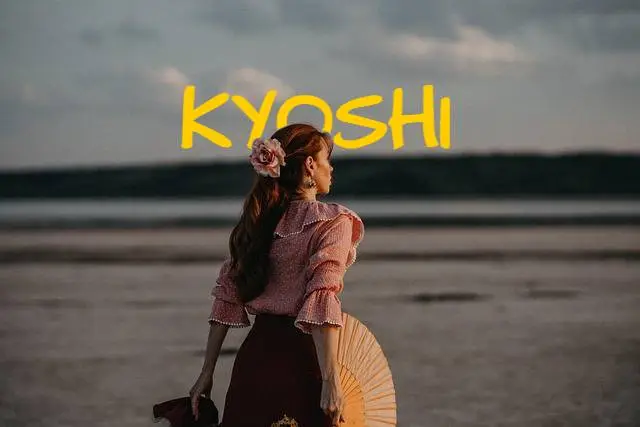
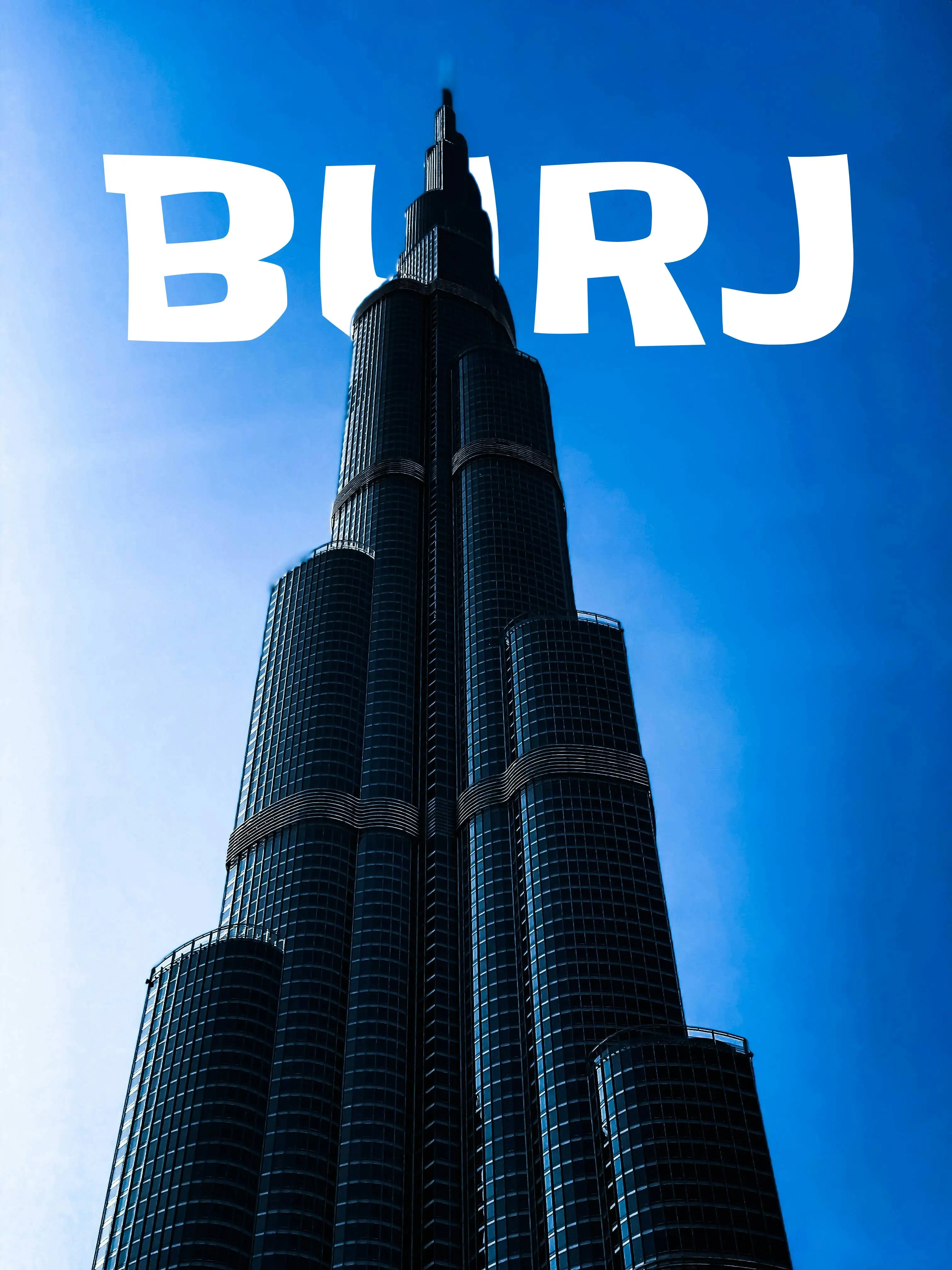
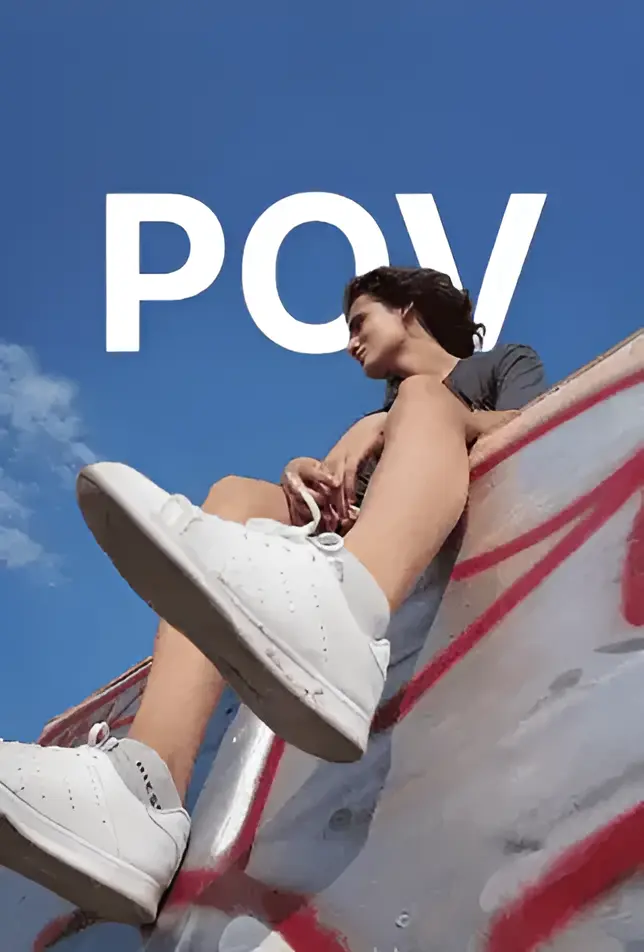
Choose from 250+ fonts, adjust colors, change sizing and position your text so it appears naturally behind the subject in the picture.
Download & Share
Export your finished design as a high-quality image. Just upload, design and export. Most designs take less than 60 seconds.
Why creators choose Us
Every use case below is built around one thing getting your audience to stop, look and act.
In seconds, you create the same text behind image effect used in popular YouTube thumbnails, Instagram posts and TikTok visuals. Creators use Text Behind Picture to:
YouTube thumbnails with text behind a person
Instagram Reel covers with layered typography
TikTok visuals that attract attention
Social media graphics with depth and style
More than 10,000 creators already use Text Behind Picture to create eye-catching images for YouTube, Instagram, TikTok and other social platforms. Most designs take less than 60 seconds.
Emotional trigger
CLICK.
The fear that great content dies because nobody clicks.
You made something genuinely good. But the thumbnail is flat, the subject blends into the background and the algorithm buries it. The content deserved better.
The psychology behind it
1
Foreground subjects with depth cues demand visual attention
2
Layered text creates curiosity viewers click to resolve it
3
It looks like a $500 Photoshop job, done in one click
What you get
Higher click-through rates
More video views
Algorithm-friendly performance
Creators don't lose to better content. They lose to better attention.

Emotional trigger
STOP.
Fear of being ignored.
You spend hours on a post. It gets 12 likes. Someone with worse content and a layered thumbnail gets 80k views. That gap is not talent it's visual processing.
The psychology behind it
1
The brain automatically separates foreground and background
2
That extra cognitive step forces the viewer to look longer
3
Depth signals effort effort signals quality
What you get
More engagement
More saves
More watch time
Creators don't lose to better content. They lose to better attention.
Emotional trigger
WATCH.
Algorithm survival.
If viewers leave in the first 2 seconds, the algorithm buries the video. Watch time is currency. Most creators burn it with a flat, forgettable opening frame.
The psychology behind it
1
Movement + depth creates visual novelty
2
Novelty triggers dopamine dopamine = retention
3
Higher completion rates signal quality to the algorithm
What you get
Higher completion rates
Stronger algorithm distribution
Content that survives past the first scroll
Creators don't lose to better content. They lose to better attention.
Emotional trigger
EVERGREEN.
Creators hate content that dies after 24 hours.
Instagram posts vanish. TikToks fade. But a high-design Pinterest pin can drive traffic for 3 years. The problem: most creators don't know how to make editorial-quality visuals.
Unique visuals get saved saves drive long-term reach
3
Search-friendly pins compound traffic over months and years
What you get
More saves
Long-term search traffic
Content that works while you sleep
Creators don't lose to better content. They lose to better attention.
Why Visual Matters More Than the Idea?
The difference between content that gets ignored and content that gets clicks is often not the idea. It is the image. A flat thumbnail blends into the feed. A layered design with text behind the subject creates depth, triggers curiosity and earns the click.
If you want a simple way to add text behind a photo online , this tool was built for you. Upload a photo and create your first design in under 60 seconds.
Frequently Asked Questions
What is the text behind image effect?
The text-behind-image effect is a design technique where typography is layered between a photo's foreground subject and its background. This creates a sense of depth that makes the text look like it sits behind the person or object in the image. It is widely used in YouTube thumbnails, Instagram posts and TikTok visuals to grab attention and increase engagement.
Is Text Behind Picture free to use?
Yes. The core features of Text Behind Picture are completely free with limited credits. You can upload a photo, remove the background, add text and download the finished design at no cost. The Creator plan at $9 per year adds 1,000 credits, access to 250+ premium fonts, watermark-free exports and early access to new features.
Do I need Photoshop to add text behind a photo?
No. Text Behind Picture is a browser-based tool that handles everything automatically. Traditional methods in Photoshop or GIMP require manual layer masking and careful selection work. Text Behind Picture uses AI-powered object detection so you can create the same effect in under 60 seconds without any design skills.
How does Text Behind Picture work?
Text Behind Picture works in three steps. First, you upload any photo. Second, the tool automatically detects the subject from your image using AI powered object detection. Third, you add your text and the tool layers it between the foreground subject and the background, creating the depth effect. You can customise the font, size, colour, rotation and position before downloading.
What image formats and sizes do you support?
Text Behind Picture supports JPG, PNG, and WebP formats. The maximum file size is 20MB. For optimal results, we recommend using high-resolution images.
Do you store the images processed?
No. Your privacy is paramount. Images are processed in real-time and are deleted from our servers immediately after the operation is complete. We do not store or use your images for any other purpose.
Can I use Text Behind Picture for YouTube thumbnails?
Yes. YouTube thumbnails are one of the most popular use cases for Text Behind Picture. The text-behind-subject effect creates depth and visual intrigue that increases click-through rates. Many YouTube creators use this technique to make their thumbnails stand out in search results and suggested videos. Just upload your thumbnail photo, add your title text behind the subject and download.
Does Text Behind Picture work on mobile?
Yes. Text Behind Picture is fully responsive and works on mobile phones, tablets and desktop computers. The browser-based design means there is nothing to install. Simply open the website on any modern browser, upload your photo and start designing.
What does the Creator plan include?
The Creator plan costs $9 per year and includes 1,000 image credits, access to 250+ premium fonts, watermark-free exports, early access to new features and priority support. It is designed for content creators who regularly produce thumbnails, social media graphics and marketing visuals.
How do I access my account after payment?
After purchasing the Creator plan, sign in to Text Behind Picture using the same email address you used for payment. Your account will automatically be upgraded and all Creator features will be available immediately.
Can I get a refund?
Due to the nature of digital services, we do not offer refunds. If you have any issues or questions about your account, please contact us at support@textbehindpicture.com and we will do our best to help.